<!———
Work info
———>
Timeline:
Jun 2023 - Apr 2024
Team:
Design, Engineering, Marketing, and Leadership
My Roles:
Lead Product Designer: Took VoiceAI from early definition to a shipped MVP and post-launch iteration
UX Researcher: Ran post-launch usability testing and tracked in-app and community feedback
Campaign Designer: Designed campaign assets with marketing
<!———
Context
———>
Evaluating the API required a developer. Most buyers weren't developers
Teams wanted to try NeuralSpace's speech APIs before committing to an integration. But the only way to evaluate one was to integrate it first, which meant an engineer at every step. So the people deciding whether to buy, who usually weren't technical, couldn't judge the product on their own.

Outcomes
30%
adoption increase of the API
+20
enterprise customers onboarded
<3 min
taken for a buyer to evaluate the API
90% of language AI is built for European languages NeuralSpace was built for everyone else
NeuralSpace built strong speech APIs for Arabic and Indian languages, markets most AI companies ignore. The tech was good, but its reach was capped by who could integrate it. VoiceAI was the no-code platform that changed that, letting anyone test the APIs on their own data and decide in minutes.
I was the lead product designer, and took it from early definition through MVP launch and post-launch iteration, working daily with engineering and aligned with sales and marketing from day one.
<!———
Process
———>
I put the least technical people in the room
The buyer wasn't technical. It was usually a salesperson inside the enterprise trying to judge whether the API was worth integrating. So in the early sessions, alongside the CEO, CTO, and product, engineering and data science, I brought in the sales and marketing heads.
They were the closest read I had on how a non-technical buyer would actually see the product. And keeping them involved from the start meant the demo story and the product never drifted apart.
Then I pushed to ship narrow, not broad
Early on the team split. Engineering wanted to ship broad, to show everything the API could do. I pushed for narrow. If we couldn't prove accurate transcription clearly, more features would only dilute the signal. So we shipped five core features and held the rest.

<!———
MVP
———>
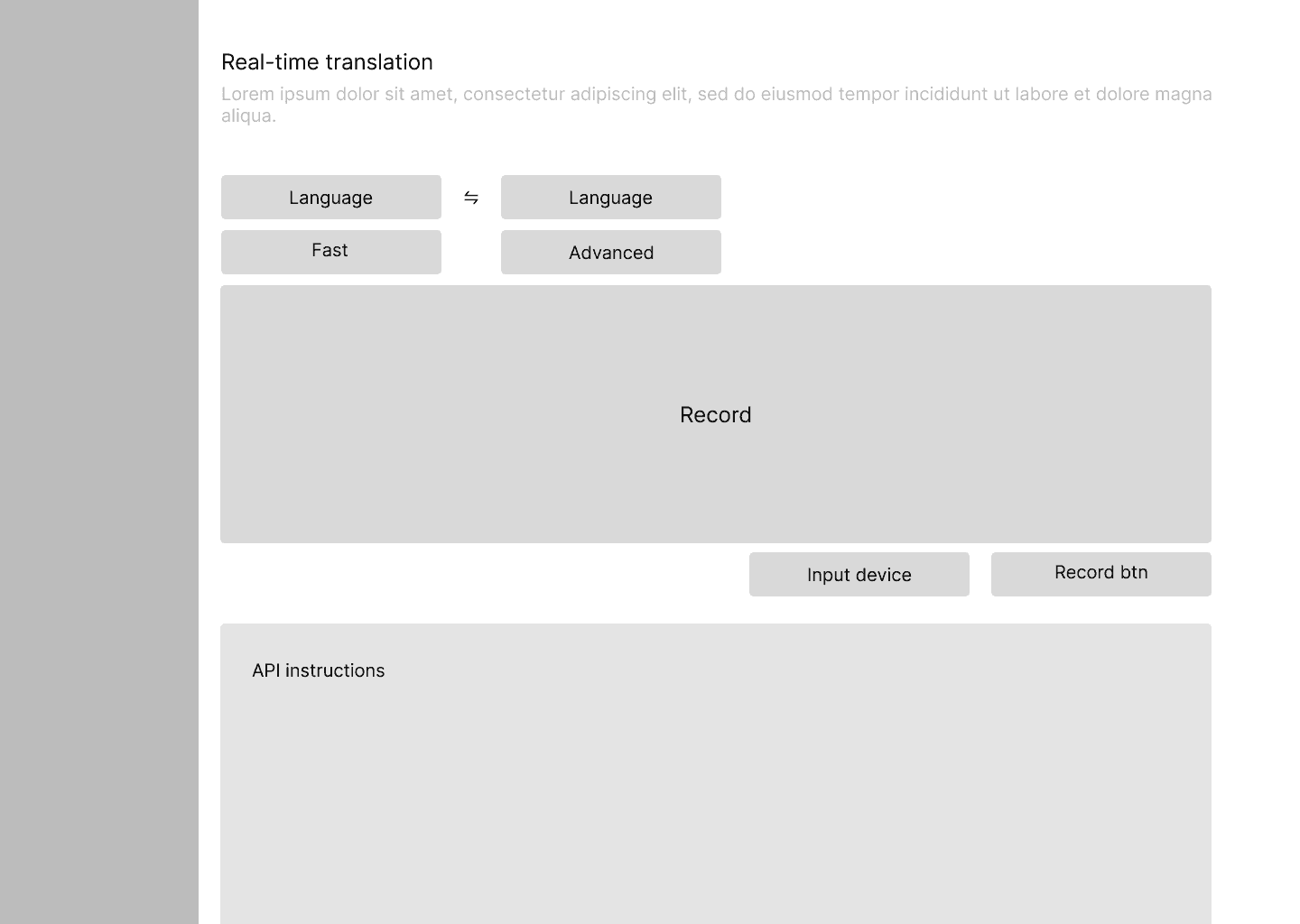
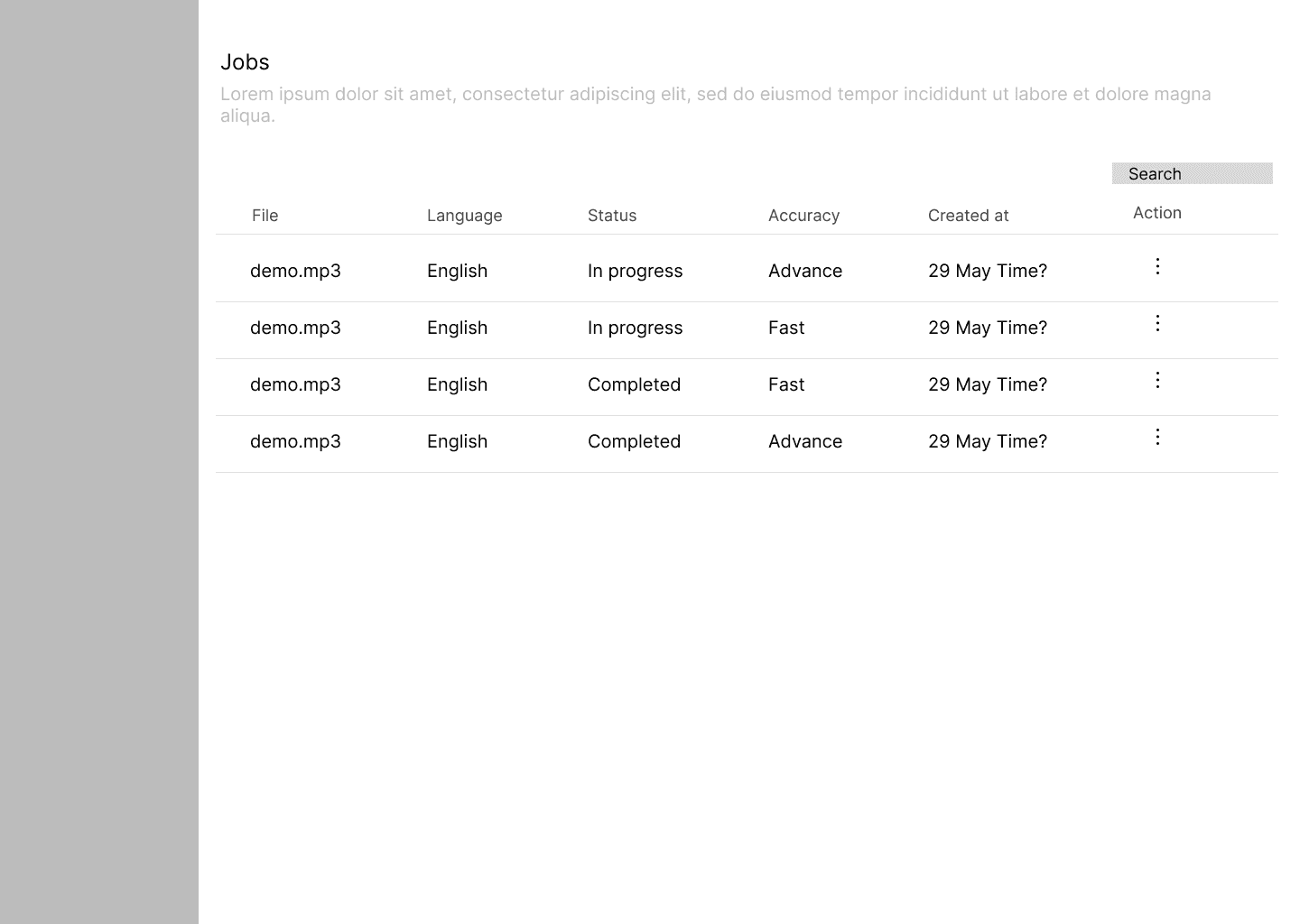
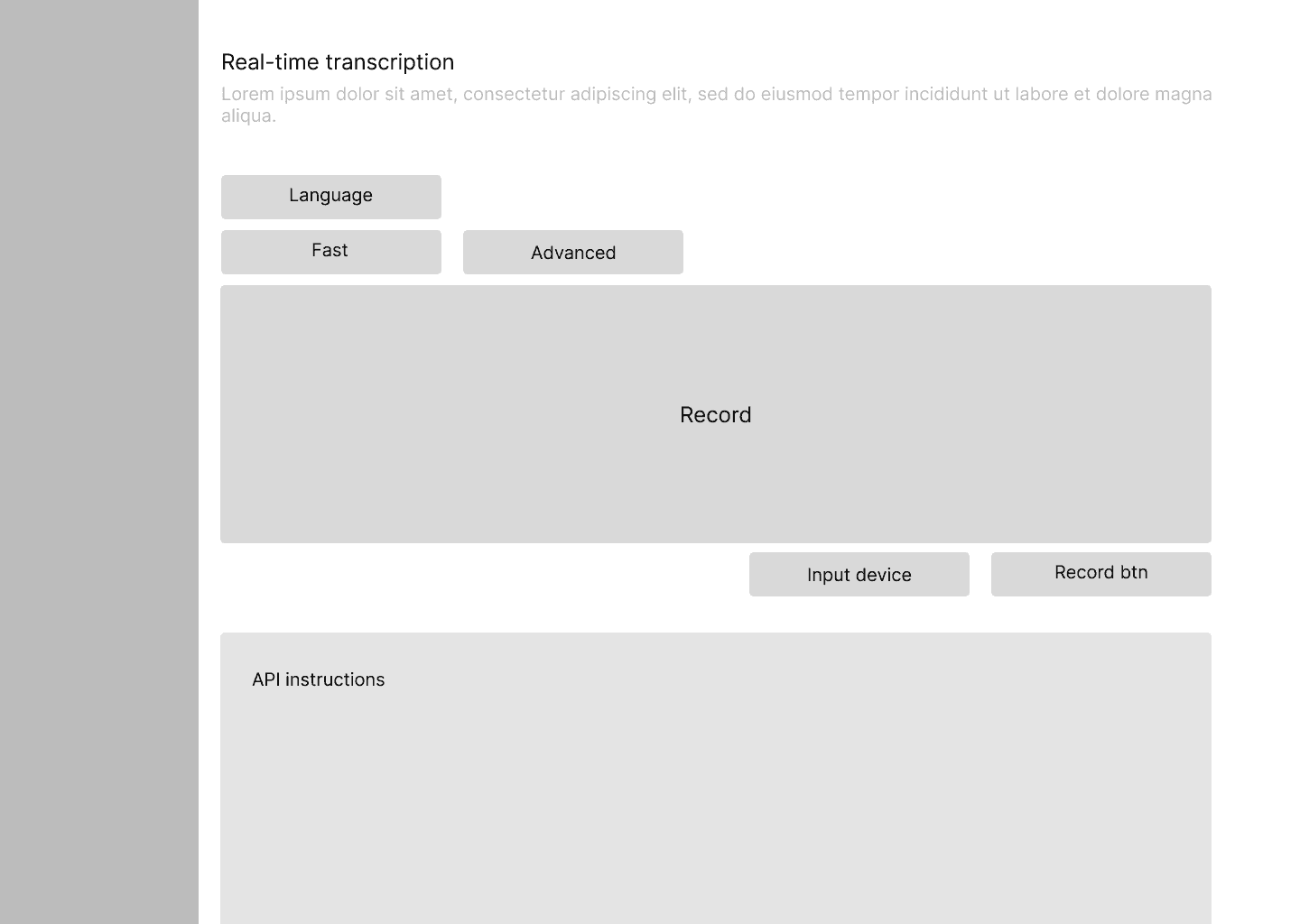
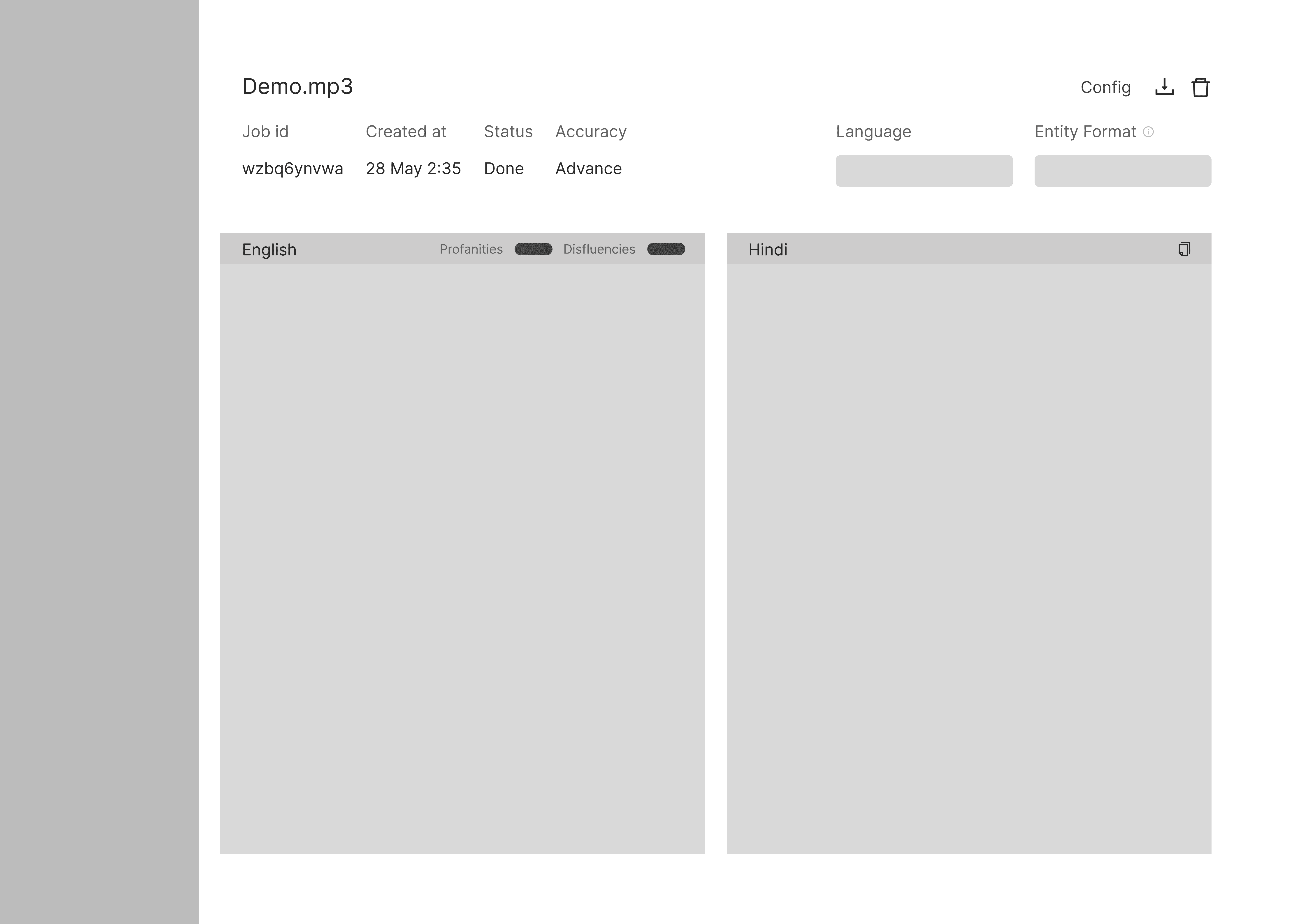
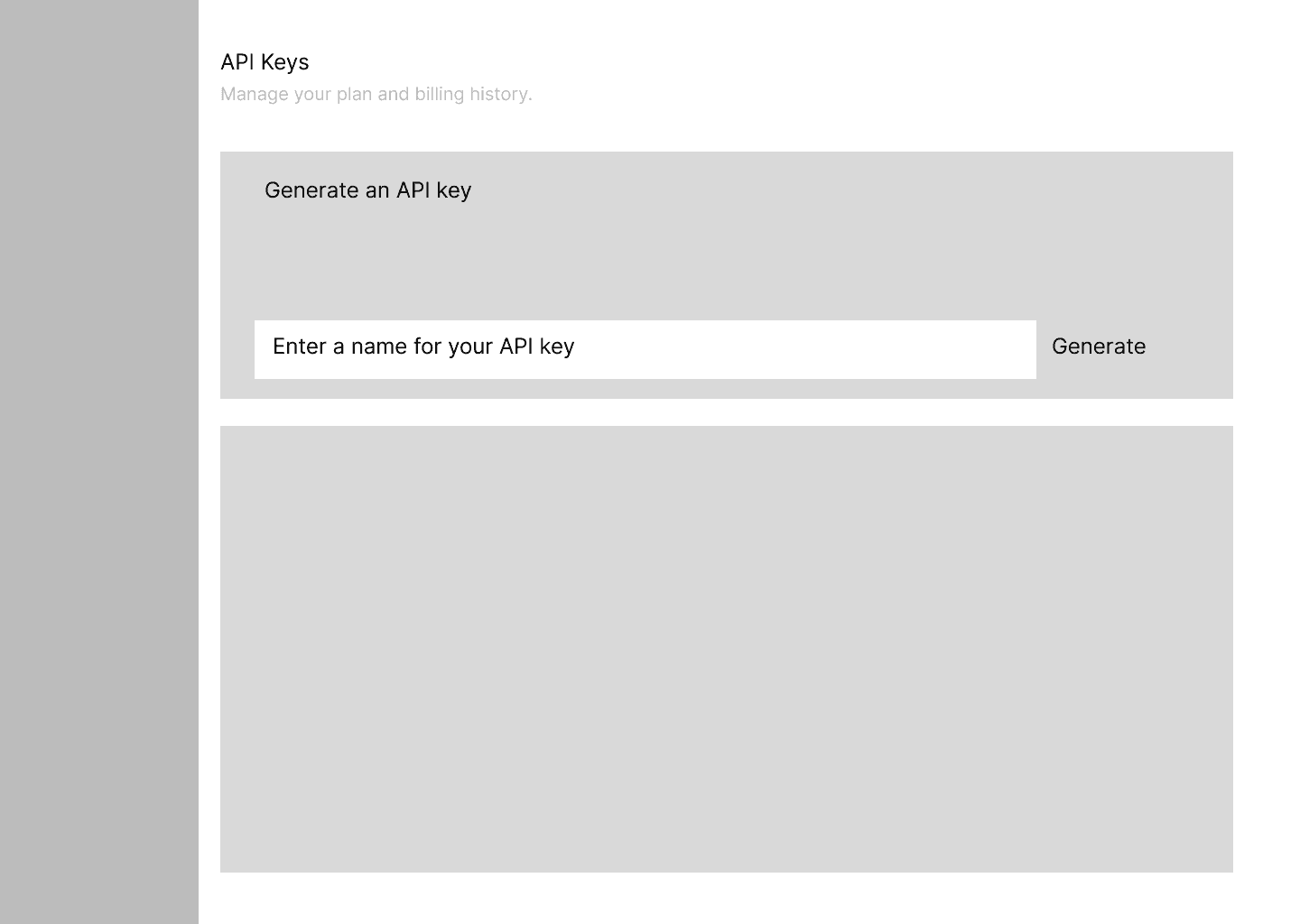
Lo-fi: most iteration happened on two screens
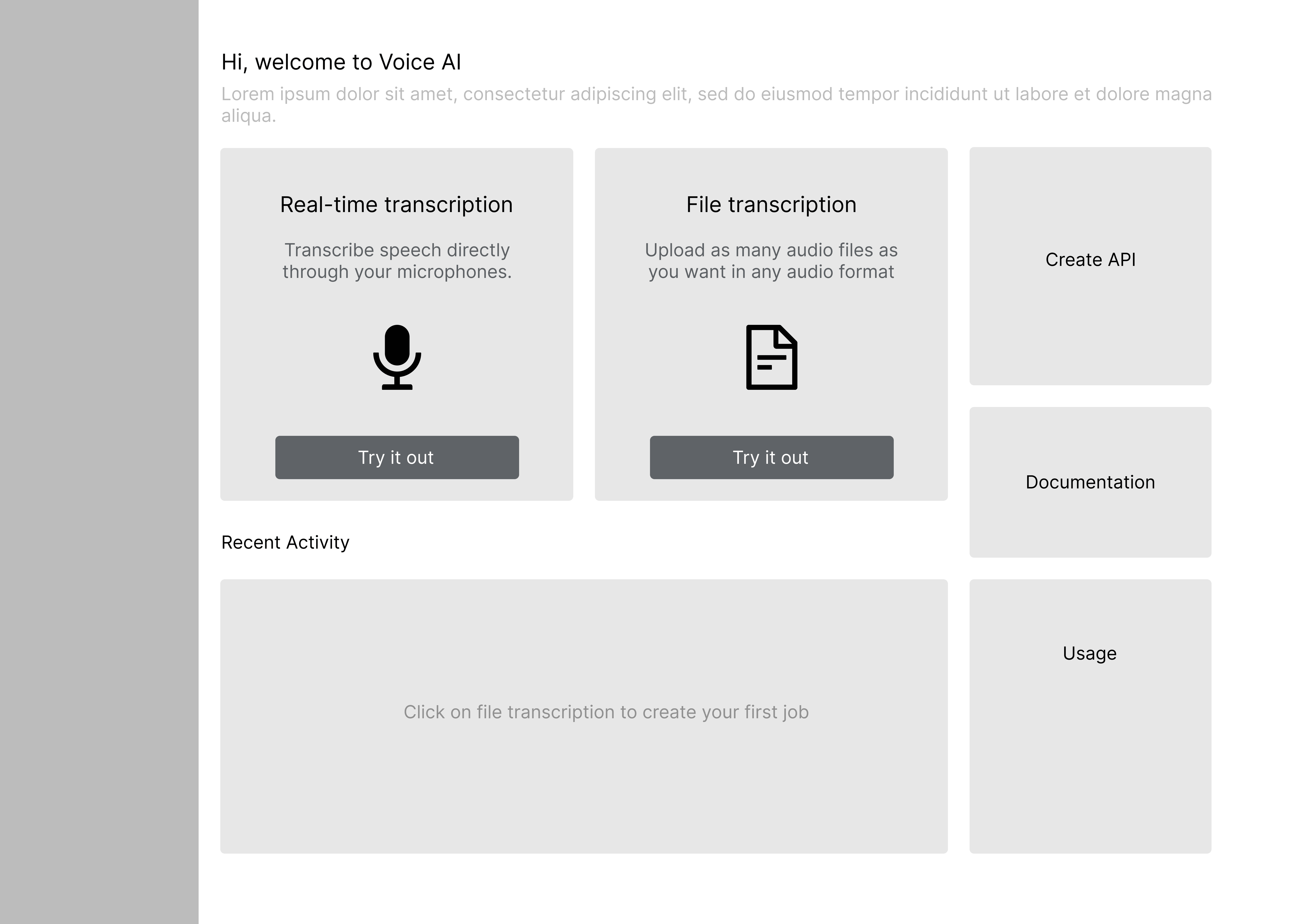
The homepage and the output screen got the most iterations.
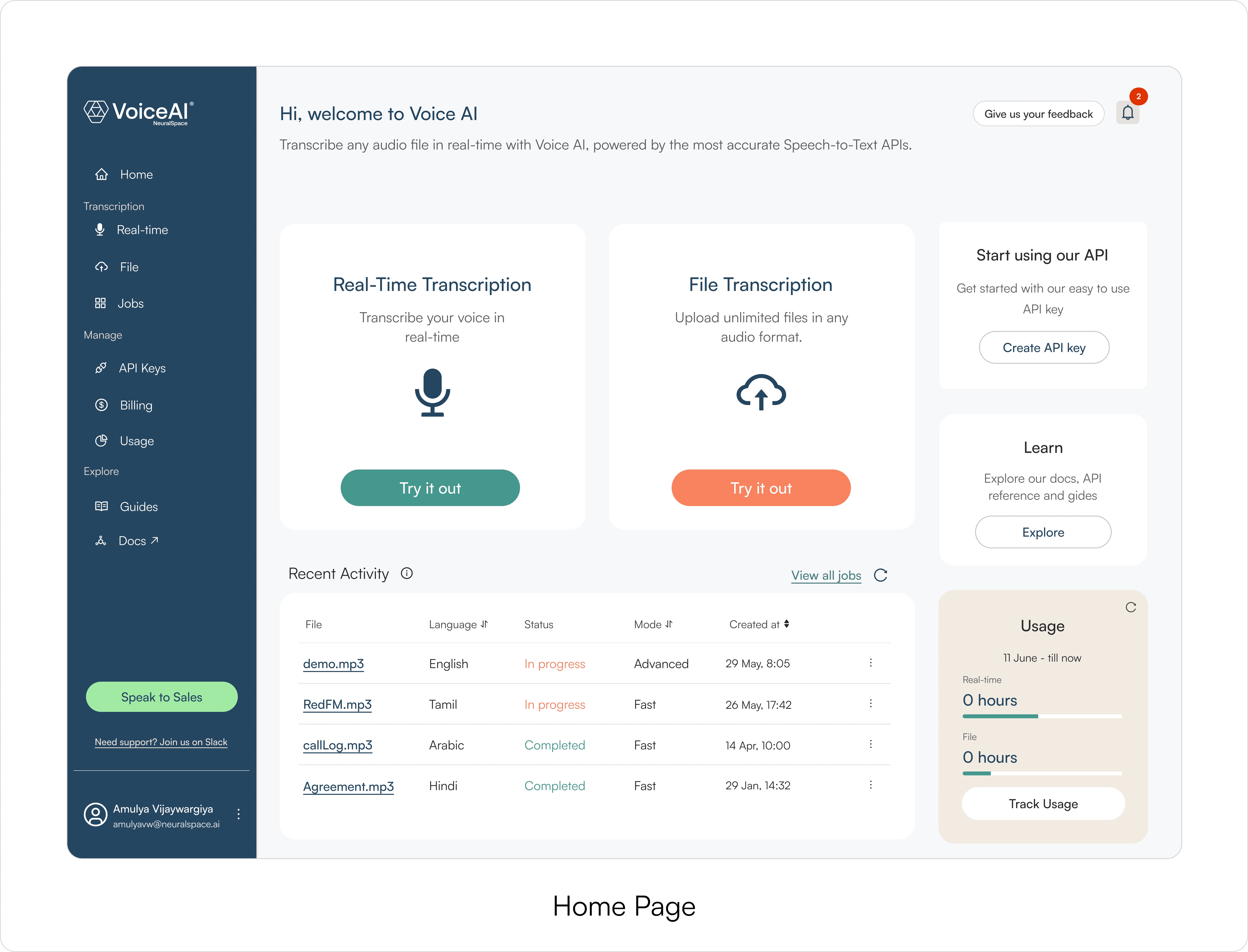
The homepage determined whether a buyer would start or leave. We decided to structure the page such that it has two primary workflow entry points as the dominant visual and configuration options accessible but secondary.
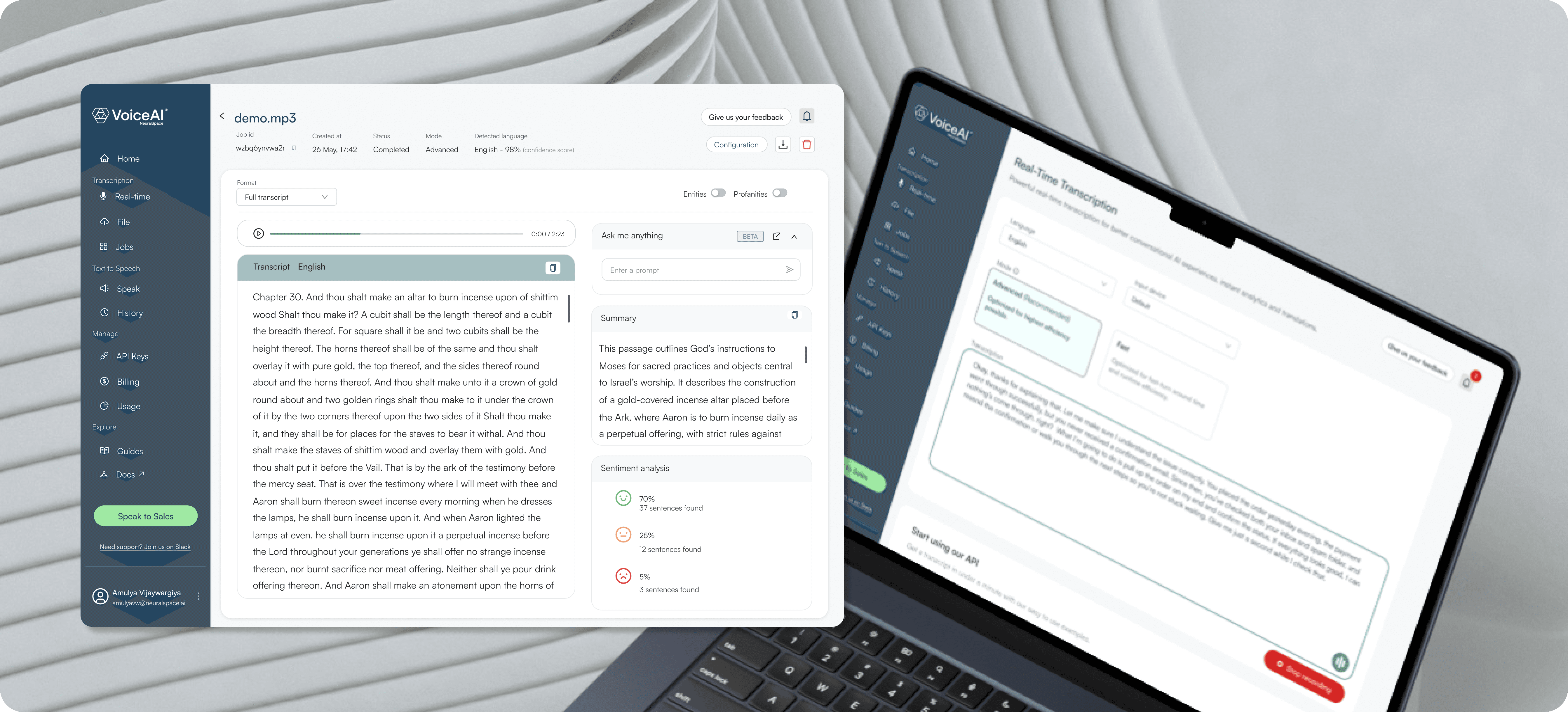
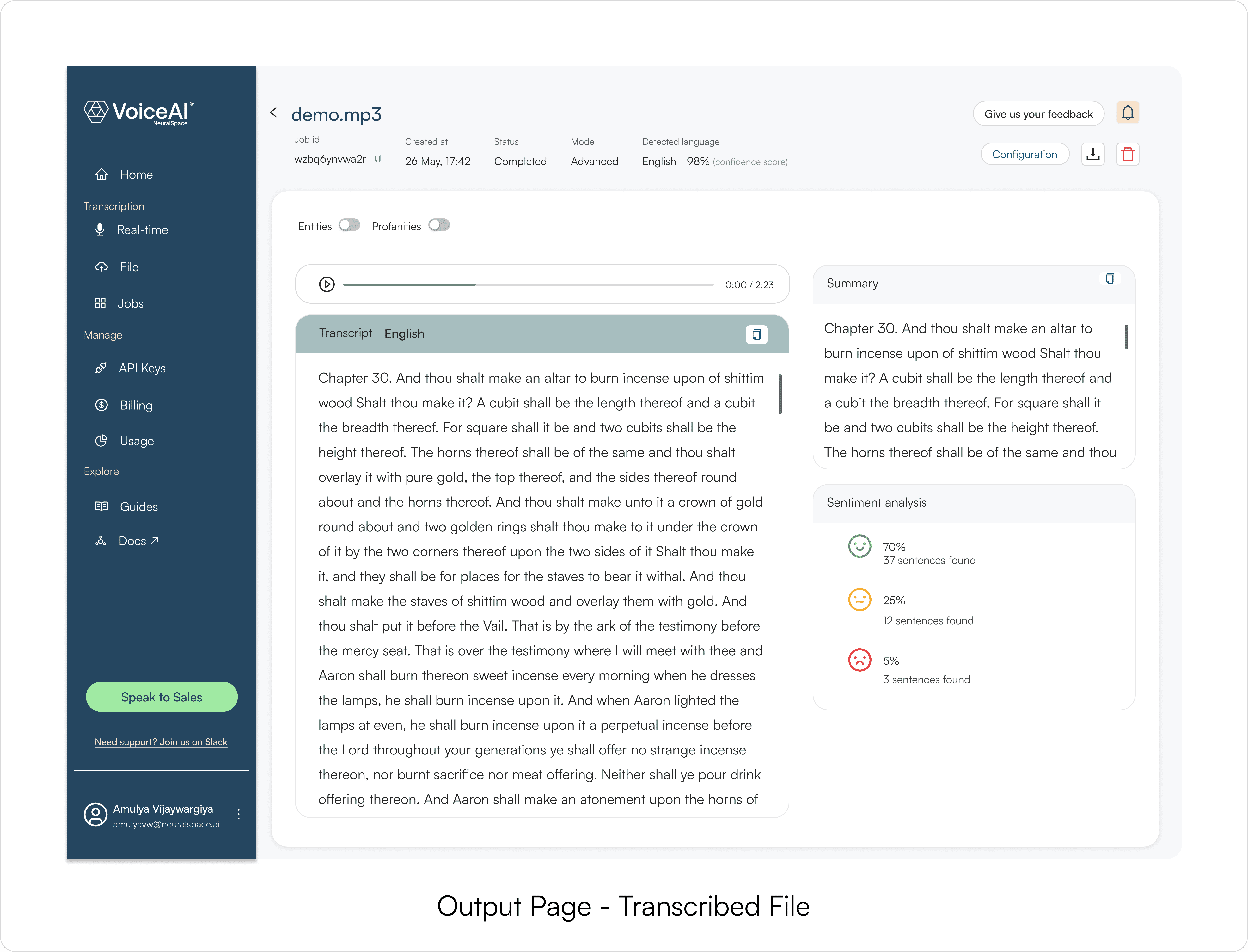
The output screen determined whether the product felt trustworthy. This is where a buyer decided if the transcription was good enough to integrate. I iterated on how results were surfaced, where speaker labels sat, and how much information was visible without scrolling.
Everything else in lo-fi was relatively straightforward once these two screens were resolved.
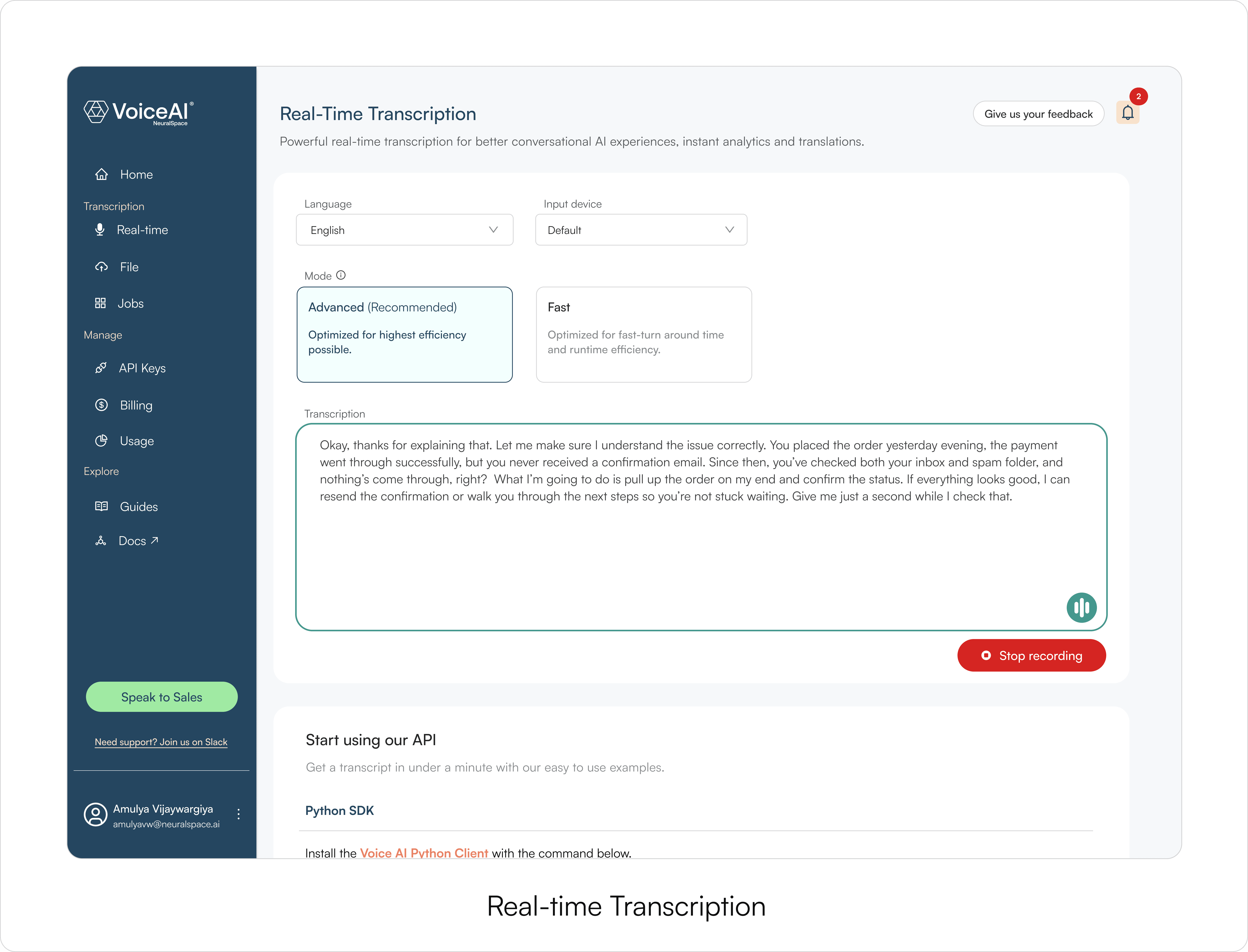
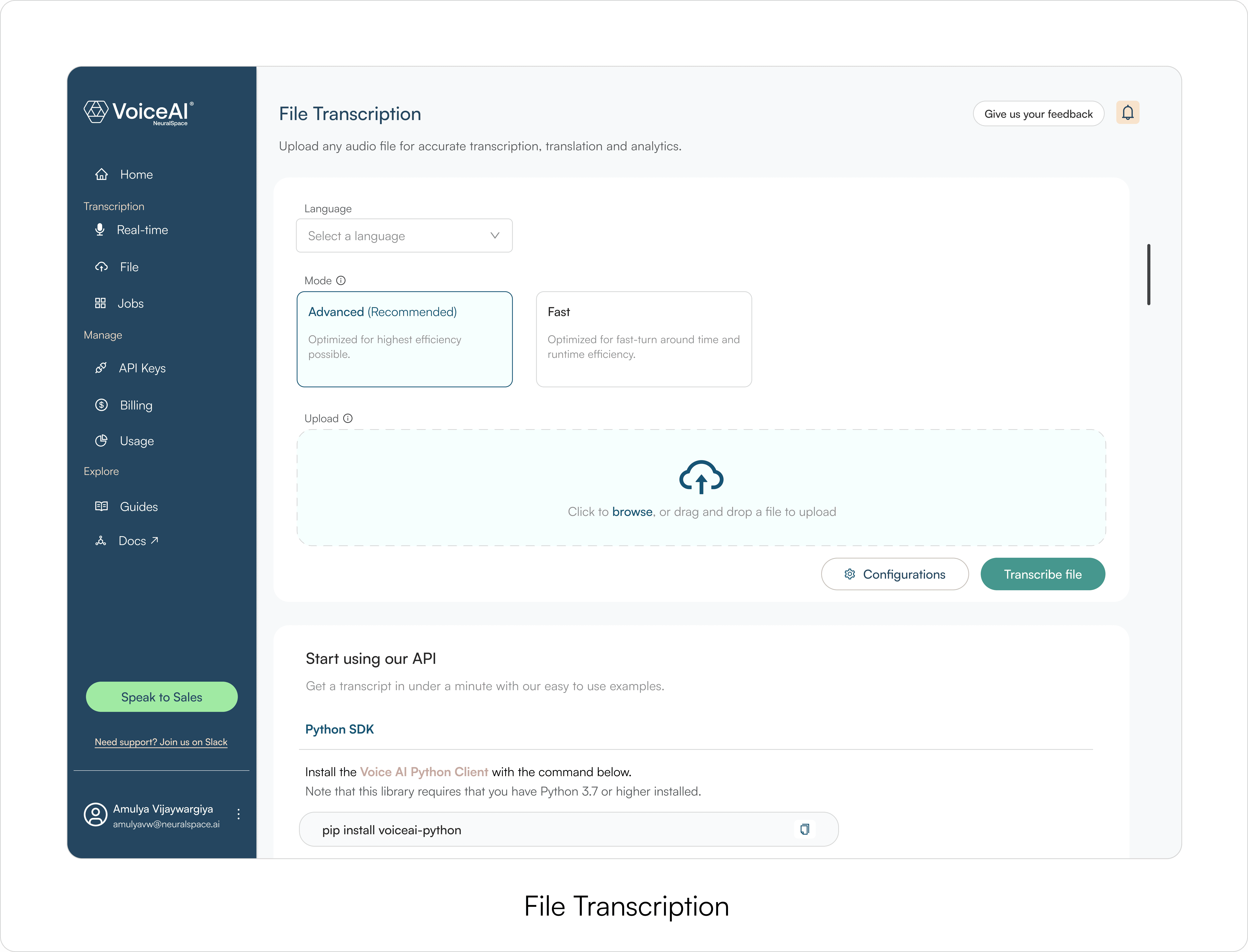
Hi-fi: aligning with rebrand and shipping the MVP
After lo-fi, I moved into high-fidelity using NeuralSpace's rebrand and design system. The focus was minimal UI and output screens easy to scan, especially during live demos where a buyer is deciding in real time.
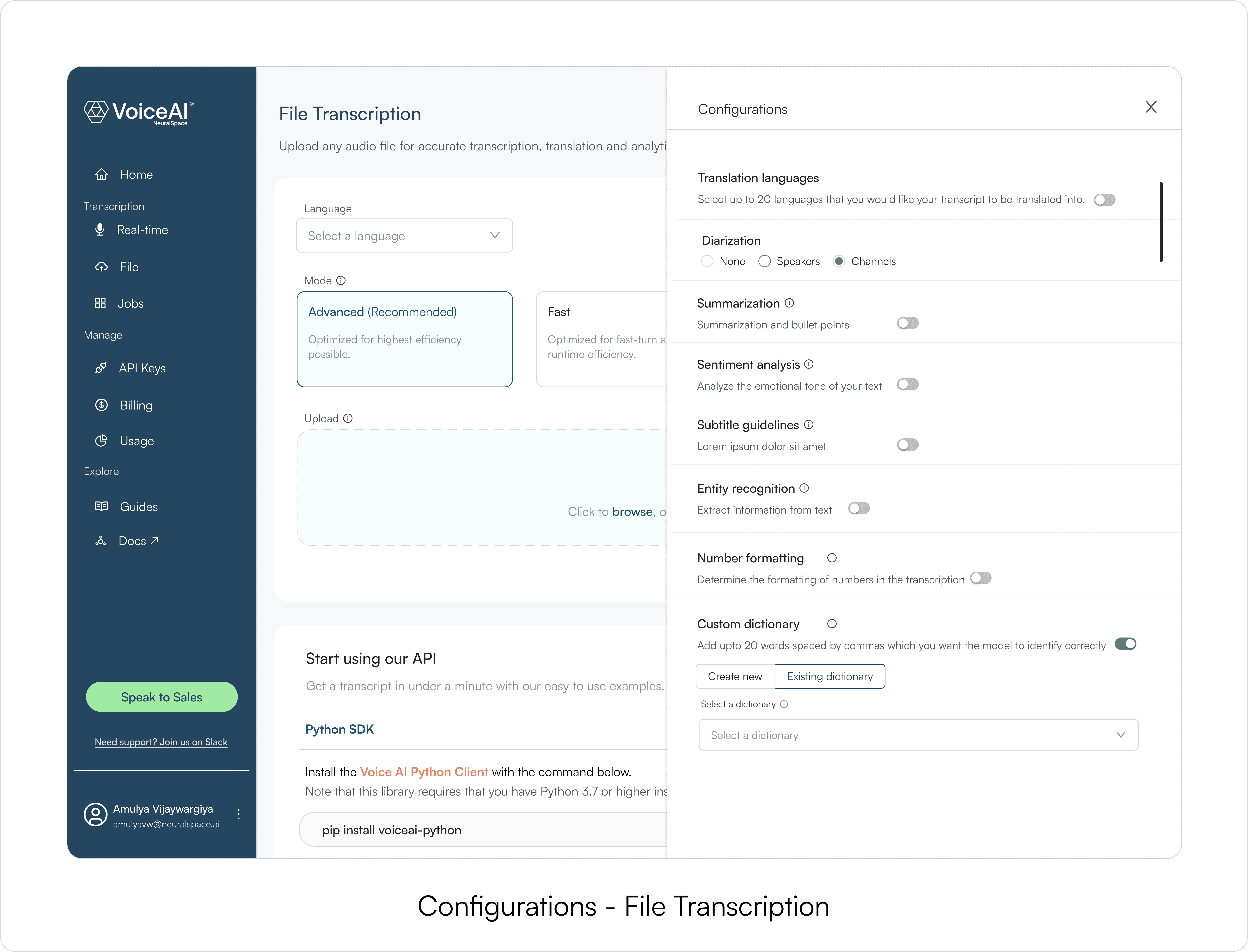
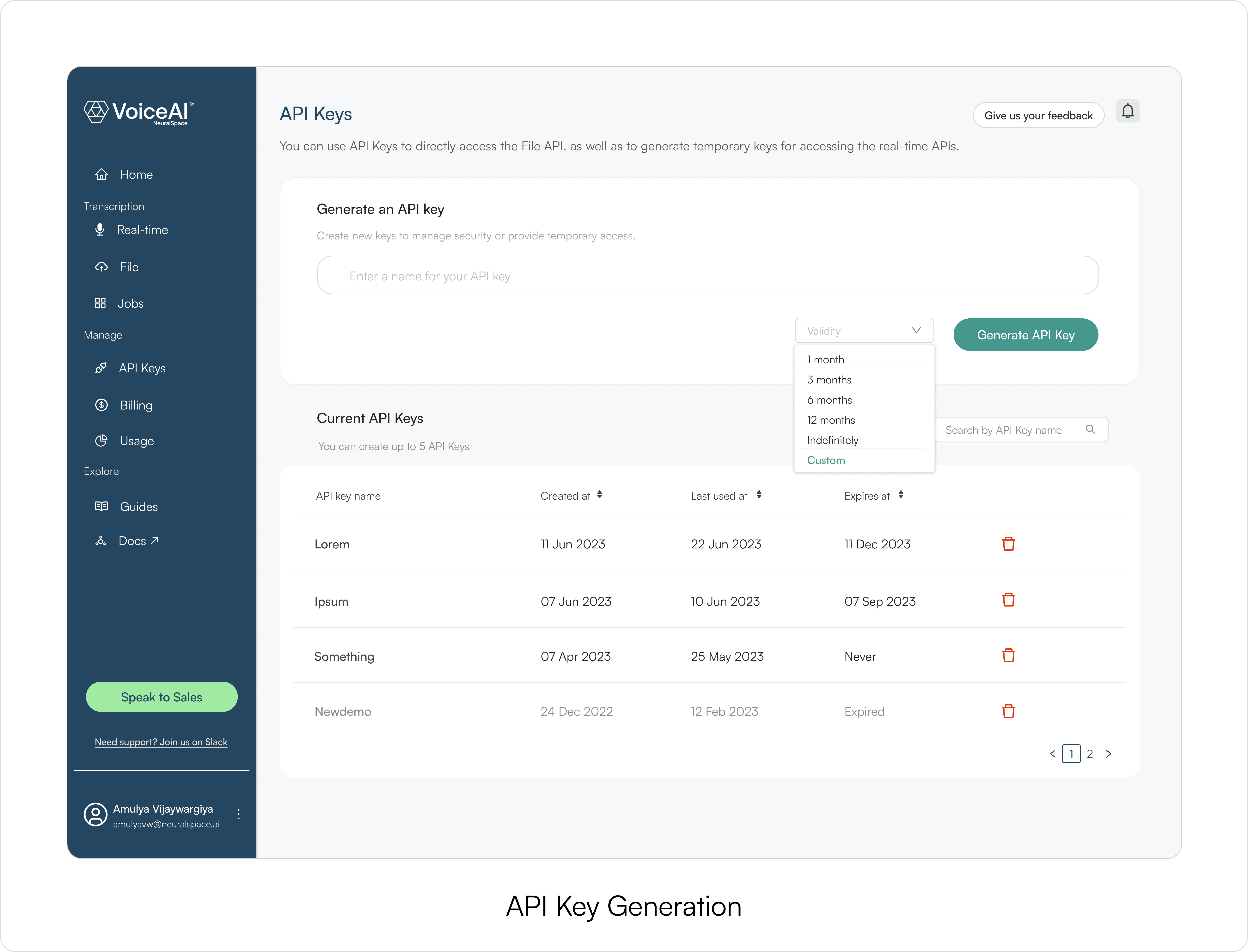
Workflows in the MVP
Real-time transcription: the primary evaluation use case
File-based transcription: async, for longer content
Sentiment analysis, transcript summaries
Translation with side-by-side language comparison
<!———
Testing
———>
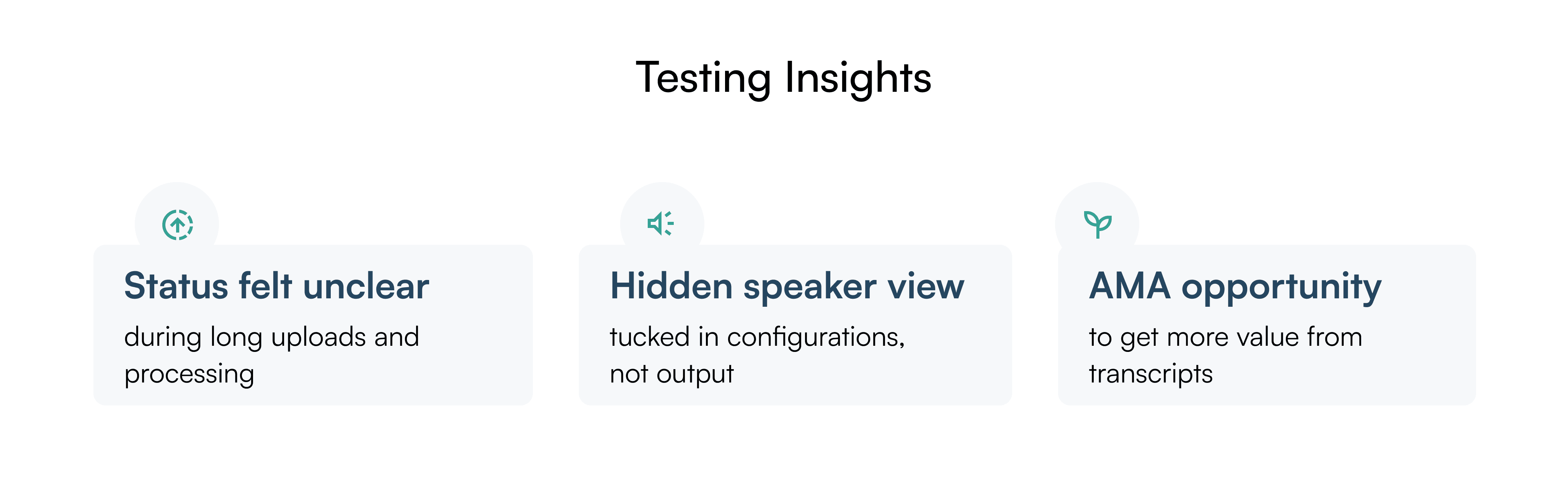
We assumed speaker separation was a power-user feature. Testing proved it was everyone's first move
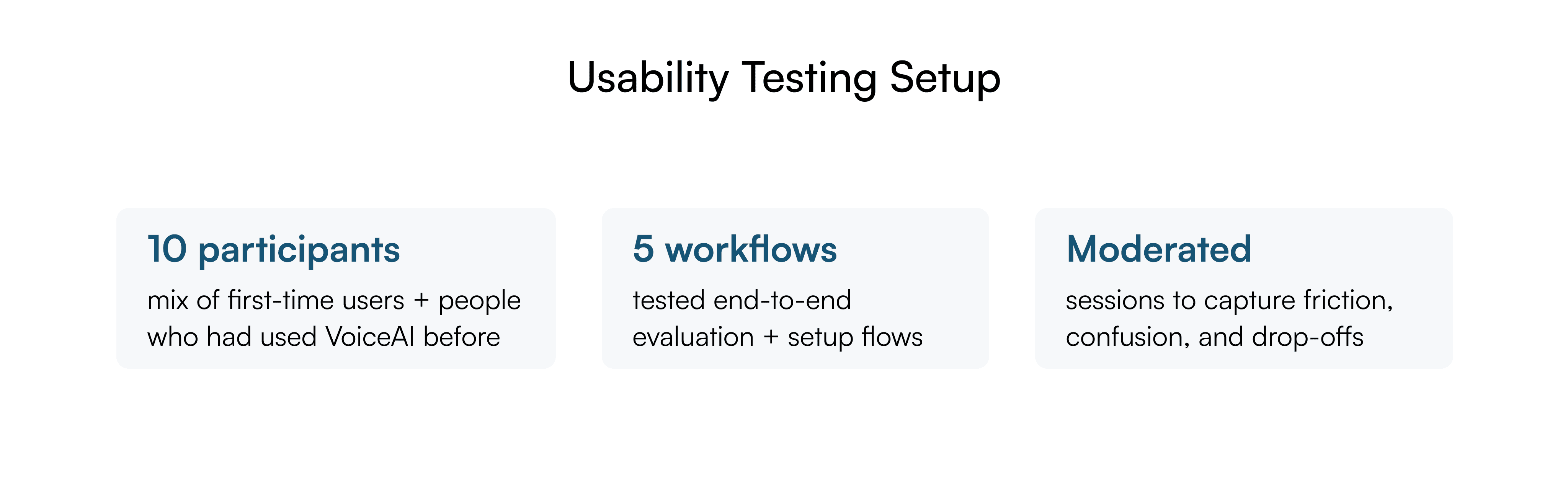
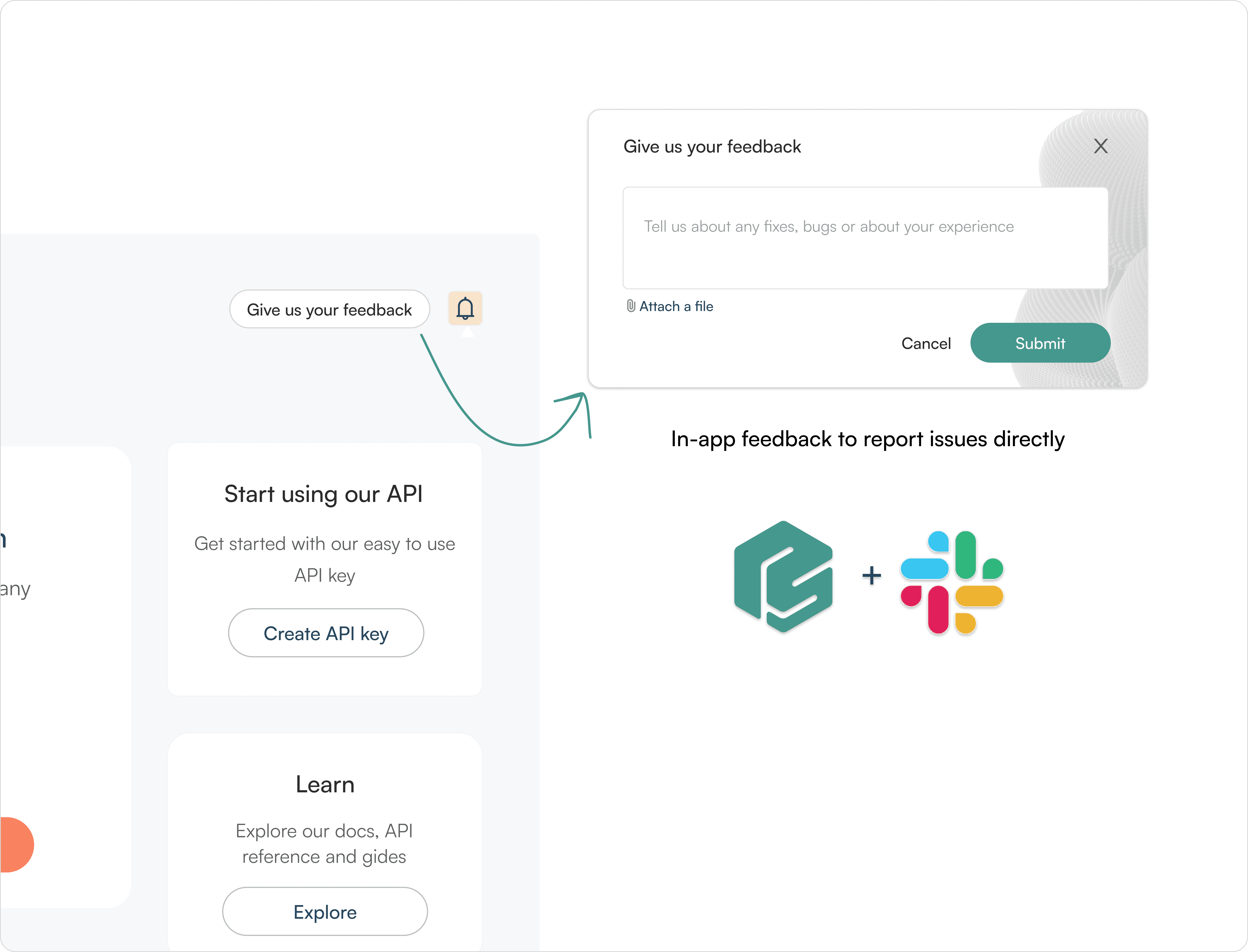
After launch I ran task-based usability testing and tracked two feedback channels: in-app bug reports and the NeuralSpace Slack community.
<!———
Post MVP
———>
We fixed the moments that made users doubt
Speaker separation moved to where users actually looked
Direct result of the testing finding. Moved from the config panel to a default dropdown on the output screen. 7 of 10 participants looked for it immediately after getting their first transcript.
Time to access went from 4 clicks to 1.
No more guessing during uploads
Drop-off data showed users abandoning during long uploads.
There was no system feedback, so the product just looked stuck. I added explicit in-progress states so users always knew the system was working.
A faster way to get value from transcripts
Users in the Slack community mentioned how they copied transcript text into ChatGPT to ask questions about their recordings.
I built a native Q&A layer called AMA, directly on top of the transcript output to remove that step.
Adding Text-to-Speech
Enterprise sales flagged repeated buyer requests for TTS in Arabic and Hindi dialects, 6 inbound asks in a single week. I designed TTS as a standalone workflow once the signal was clear, supporting NeuralSpace's focus on dialect and pronunciation accuracy for underserved languages.
Together, these changes shifted VoiceAI from a transcription tool into a flexible environment for exploring speech-based workflows.
<!———
Reflection
———>
Taking Voice AI to market
I designed the Voice AI landing page, and worked with marketing on the campaign assets that launched it across social and newsletters.

What did I learn?
Early GTM involvement makes launch easier
Having sales and marketing aligned from the start meant the product and the demo story were never out of sync. No last-minute scrambling before launch.
Narrow focus, test often
Shipping a focused MVP and testing at every step gave us a clearer picture of what to build next. Trying to do everything at once would have made it harder to see what was actually working.